01
Board
To do, in progress, in review, done. Drag the card.
Tasks
A board when you want flow. A list when you want to scan. Time on the task when you bill it.
Schedule
Search
Kitchen Renovation
2Pendant Lighting
Kitchen
Counter Stools
Dining
Primary Suite
2Bedside Sconces
Bedroom
Area Rug
Bedroom
Planning
2Confirm tile lead times
Tomorrow
Finalize plumbing specs
Thu
In Progress
2Request quote from vendor
Today
Send client revision set
Fri
Done
2Approve vanity selection
Completed
Attach install notes
Completed
Search products...
Tile Fabric
Linen Weave Upholstery
Loom Studio
Fabric
$89 Trade

Handmade Zellige Tile
Atlas Clay
Tile
$24 / sq ft
White Oak Plank
North Grain
Wood
$14 / sq ft
01
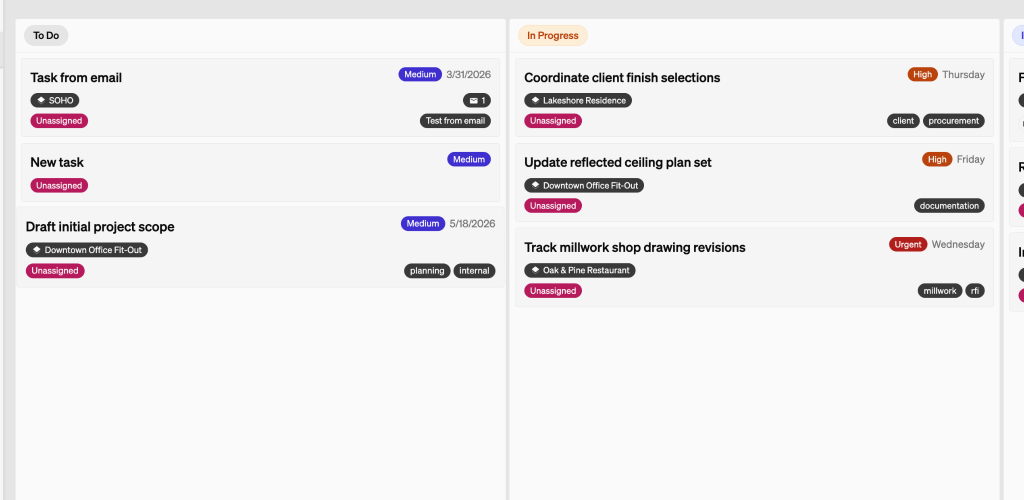
To do, in progress, in review, done. Drag the card.
02
The same tasks, when you need to scan.
03
Log hours where the work happened. Bill them later.
Assign a person. Set a date. Work the board for a single project or across the studio.
Start a timer on the project, or add hours later. Import unbilled time onto the invoice.
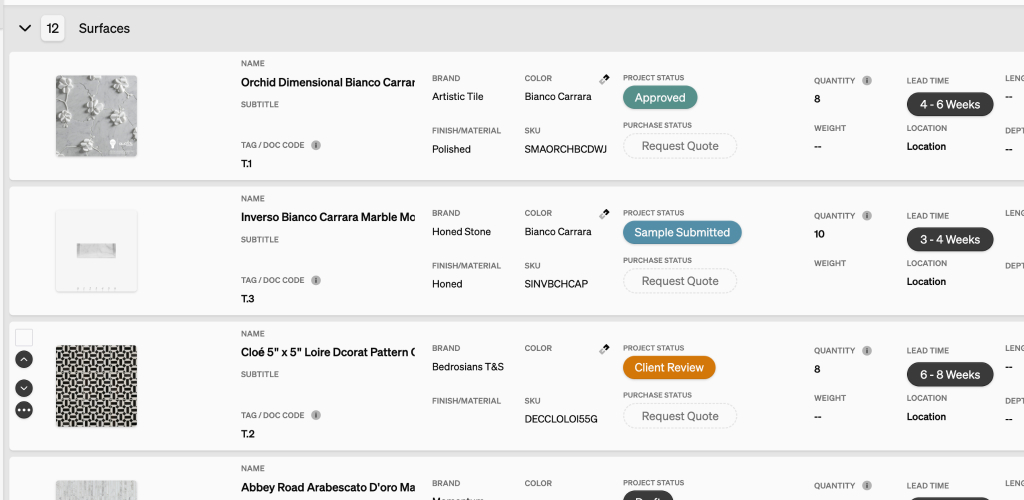
Specify products with images. Item cost, markup, shipping, and client price on the line. Export PDF or CSV.
Pull purchase-order lines, import time, or add a free-form line. Stripe is included. The client pays from the dashboard.