01
Your inbox, connected
Gmail or Outlook. Vendor mail sits next to the work.
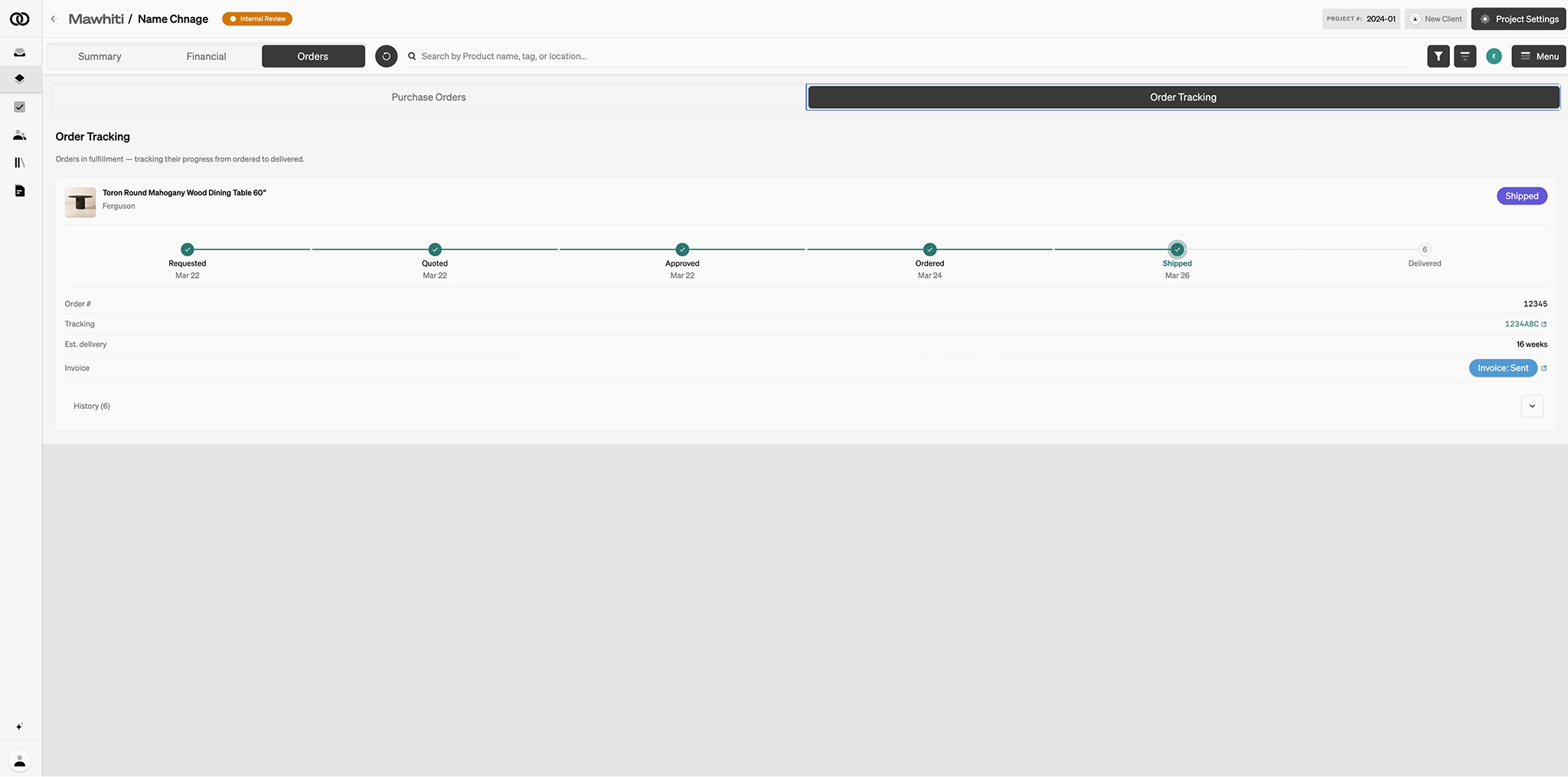
Order Tracking
Quote, order, ship, deliver — on the record. Connect Gmail or Outlook. Carrier updates land here.
Stop hunting. The purchase order should hold the status, the confirmation, and the carrier update.
01
Gmail or Outlook. Vendor mail sits next to the work.
02
Requested, quoted, ordered, shipped, delivered.
03
Shipment progress on the purchase order — not in a side spreadsheet.
The schedule line becomes a purchase order. Status lives there. When a carrier moves, you see it on that order.
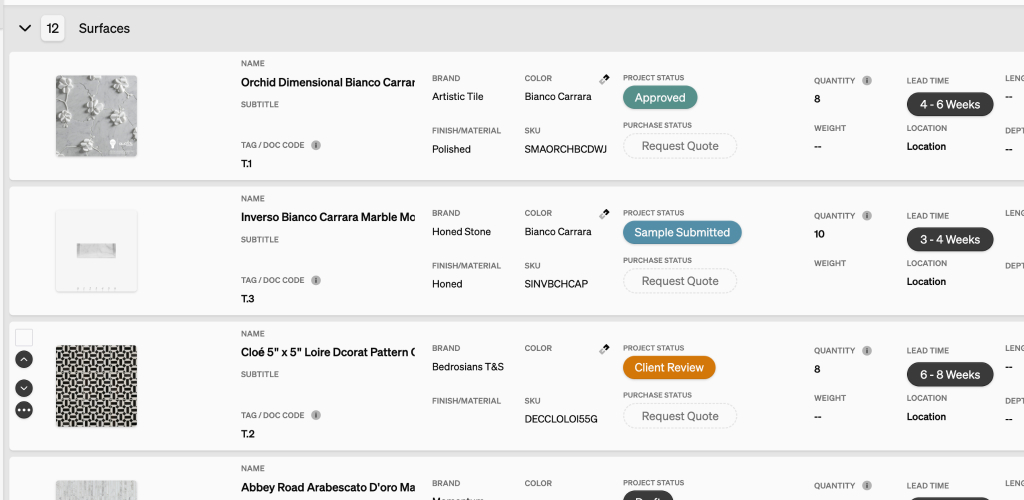
Specify products with images. Item cost, markup, shipping, and client price on the line. Export PDF or CSV.
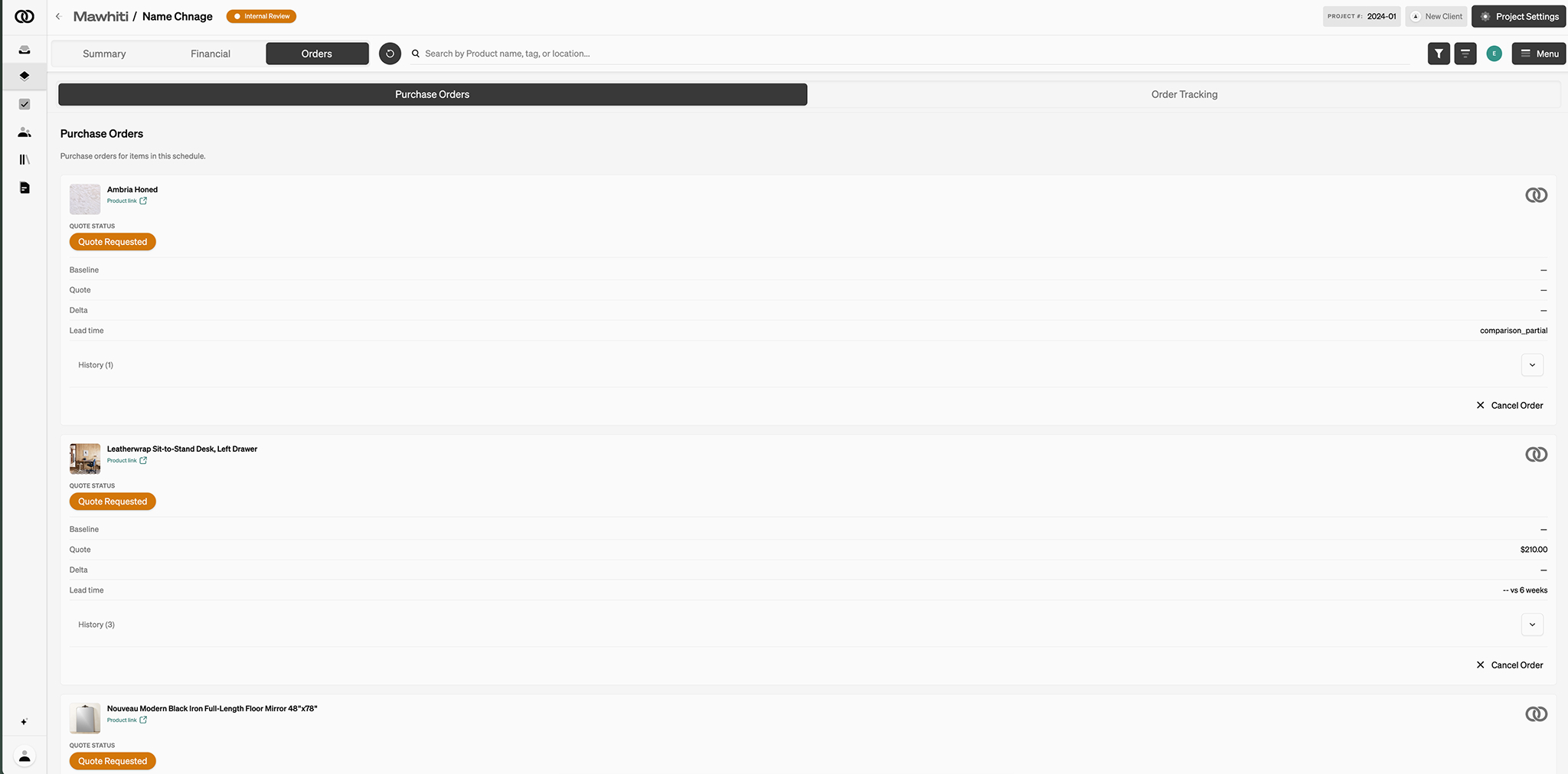
Object & Order can place the order after the required amount is collected, or you order and we still track. You keep the markup.
Pull purchase-order lines, import time, or add a free-form line. Stripe is included. The client pays from the dashboard.