How Interior Designers Track Order Confirmations, Lead Times, and Shipping Updates
Why inbox and spreadsheet tracking breaks down—and what studios need to capture confirmations, lead times, and shipping on schedule items.
By Object & Order Team
A residential project with forty vendors generates hundreds of order-related emails before install week. Confirmations arrive with different formats. Lead times slip. Carriers publish new ETAs at midnight. Clients ask reasonable questions your team cannot answer without twenty minutes of inbox search.
This is the operational work interior design studios live with—and the buyer question procurement software is supposed to solve. Yet most firms without dedicated procurement staff still track order confirmations, lead times, and shipping updates by hand. Here is why that breaks down, what a workable system requires, and how the available approaches compare.
Why does manual order tracking fail for design studios?
Manual tracking—searching inboxes, pasting tracking numbers into spreadsheets, forwarding shipping emails to project threads—fails because volume and format variance exceed what ad hoc tools can sustain. One person on a small team can hold the model in their head for one active job. Add a second project, a junior designer placing orders, and a client who expects weekly status, and the model collapses.
Inbox archaeology is the symptom: “I know the vendor sent the confirmation, but was it for the brass pull or the cabinet hinge?” Spreadsheets duplicate data the schedule already holds, so status drifts the moment someone forgets to update row 47 after a carrier delay. General project management tools capture tasks and deadlines but rarely map carrier scans to specific schedule items tied to client price and firm cost.
Studios without a procurement coordinator feel this most acutely. Design principals become accidental logisticians—Friday afternoons chasing tracking numbers instead of reviewing drawings. The work is not glamorous, but missed lead times blow install dates and erode client trust.
What should a workable order tracking system actually capture?
A system your studio will use daily needs four capabilities working together: order confirmations captured, lead times visible on the schedule, shipping and tracking updates mapped to line items, and client-safe status sharing when you choose to publish.
Order confirmations captured. When a vendor acknowledges a purchase order, that confirmation should attach to the purchase order record—not sit as an unread message. Confirmations validate item cost, shipping, and quoted lead time against what the firm approved.
Lead times visible on the schedule. Lead time is a planning input, not a footnote in an email PDF. It belongs on the schedule item next to the product and vendor so project managers can sequence deliveries against install milestones.
Shipping and tracking mapped to line items. Carrier tracking numbers and delivery windows should update the correct purchase order automatically. “Shipped” is only useful if it refers to the client’s sofa—not someone else’s throw pillows on a different job.
Client-safe status sharing. Clients want visibility without seeing firm cost, markup, or internal vendor negotiations. A client dashboard that shows published schedule progress—filtered to hide financial detail—reduces status emails while protecting margin.
Without all four, you still maintain a shadow system in email and spreadsheets.
What are the common approaches studios use today?
Studios typically land on one of four patterns—each with tradeoffs.
Spreadsheets and shared drives. Low cost, full flexibility, zero automation. Works until it does not: one missed paste and install week planning uses stale data. No inbox connection; every update is manual.
General PM tools (Asana, Monday, Notion). Good for tasks and milestones; weak at mapping vendor shipping emails to specific goods on a design schedule. Teams create workaround boards that duplicate procurement data.
Design platforms with partial procurement (Programa, Mydoma Studio, Studio Designer). Strong on specification or accounting respectively; order tracking often manual, Gmail-only, or absent native inbox sync. Visual planning and client packaging may excel while shipment follow-up remains email-driven.
Dedicated procurement platforms (Alcove, Object & Order, DesignSpec). Built for purchase order workflows and vendor communication. Depth varies: some offer delegated purchasing services; others focus on inbox automation and schedule-native status. Enterprise spec tools may require manual shipment entry.
The right choice depends on whether procurement operations—not just presentation boards—are the bottleneck.
How does Object & Order track confirmations, lead times, and shipping?
Object & Order connects your Gmail or Outlook inbox and monitors for order confirmations, shipping updates, and delivery notices. AI reads vendor emails and maps confirmations, tracking numbers, and delivery dates to the correct schedule items—purchase orders created from those rows—without manual copy-paste.
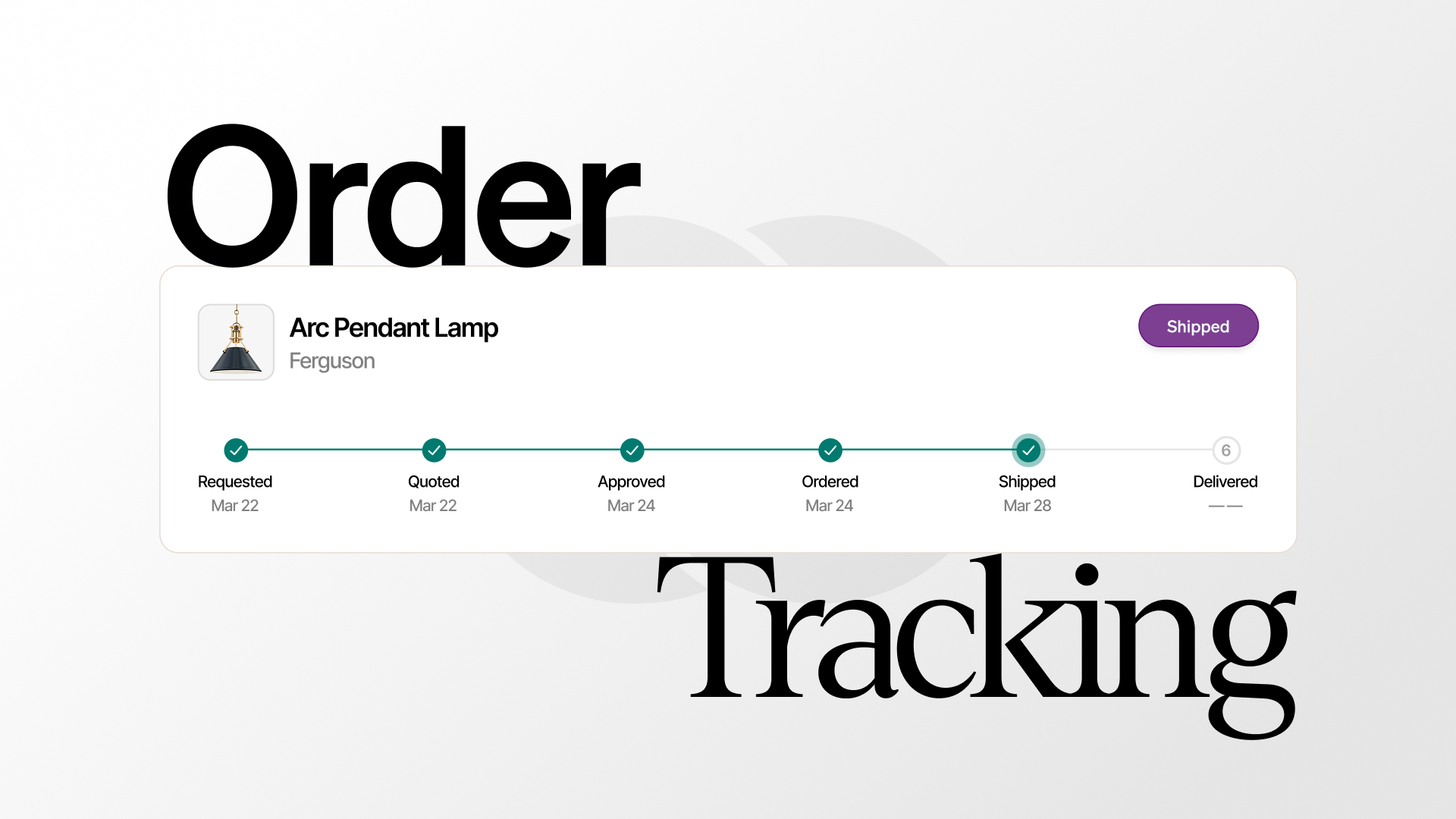
When a message does not match automatically, you assign it in a few clicks. The schedule remains the single view: status progresses from quote requested through ordered, shipped, and delivered with designer-facing labels your team already uses. Live ETAs update as carriers publish new delivery windows; proactive alerts notify you when shipments delay or status changes.
For O&O-sourced items, Object & Order manages quotes, collects required deposit before ordering, and places vendor orders through the procurement layer while your firm’s contact details go to the vendor—relationships stay direct. For self-sourced items, your firm orders directly from the vendor; the app tracks fulfillment without payment gating.
Lead times from vendor confirmations surface on schedule items so install planning uses current data—not the lead time quoted six weeks ago in a PDF someone forgot to file.
Can clients see shipping status without seeing firm financials?
Yes. The client dashboard provides a branded portal where clients view published proposals, invoices, and schedules. You control what crosses over; internal documents and financial detail stay on the firm side until you publish.
When schedule visibility is shared, clients see order progress filtered to hide firm cost, markup, and procurement internals. That answers “where is my dining table?” without exposing the margin structure your business requires private.
Magic-link access reduces password friction for homeowners who check status occasionally—not daily like your team.
How does inbox-driven tracking compare to checking vendor portals?
Vendor portals help for a single order with one login. A project with dozens of vendors means dozens of portals—or more realistically, no one checks them until a client complains. Centralizing signals in the inbox matches how vendors actually communicate, then mapping those signals to schedule items matches how design teams actually plan.
AI extraction handles format variance: PDF attachments, HTML tables, plain-text tracking links. The goal is not perfect automation on day one—it is a default where most updates land on the correct row without staff intervention, with quick manual assignment for edge cases.
Tasks integrate with the same workflow: create tasks and contacts from vendor emails so follow-ups live in the project record, not as flagged messages forgotten until Monday.
What should studios look for when evaluating order tracking tools?
Ask vendors these questions before committing:
- Does tracking attach to schedule items or generic tasks? Line-item mapping matters for design procurement.
- Which inboxes are supported? Gmail-only excludes many firms on Outlook.
- Is matching automated or entirely manual? Manual-only tools recreate spreadsheet labor.
- Do self-sourced and O&O-sourced workflows both work? Studios mix sourcing types on one project.
- Can clients see status without seeing firm cost? Client-safe sharing prevents duplicate status emails.
- What is the pricing model? Per-seat software cost before placing orders penalizes small teams.
Object & Order scores strongly on inbox automation, Gmail and Outlook support, schedule-native purchase order status, mixed sourcing, and client dashboard sharing—with no monthly subscription for studio management.
When is a different tool still the better fit?
Honest evaluation includes holdoff cases. Alcove fits if you want delegated purchasing services with their team running vendor communication. Studio Designer fits if native general ledger, AP/AR, payroll, and time billing in one legacy stack outweigh inbox automation. Programa or Mydoma Studio fit if visual planning and client packaging matter more than procurement execution today. DesignSpec fits enterprise BIM-linked specification programs—even though shipment tracking may remain manual.
If your pain is confirmations lost in email, lead times nobody trusts, and shipping updates that never reach the schedule, inbox-driven tracking on the same document where you specify and price goods is the operational upgrade worth prioritizing.
Object & Order built that layer for interior design studios: connect email once, let confirmations and carrier updates map to purchase orders, plan installs from live ETAs, and share client-safe status when you are ready. Procurement stays quiet in the background so your team stays focused on design.